How to convert web novels into clean ebooks
From a raw web page to a perfectly formatted EPUB on your e-reader in five easy steps. 100% free, private, and running locally in your Firefox browser.
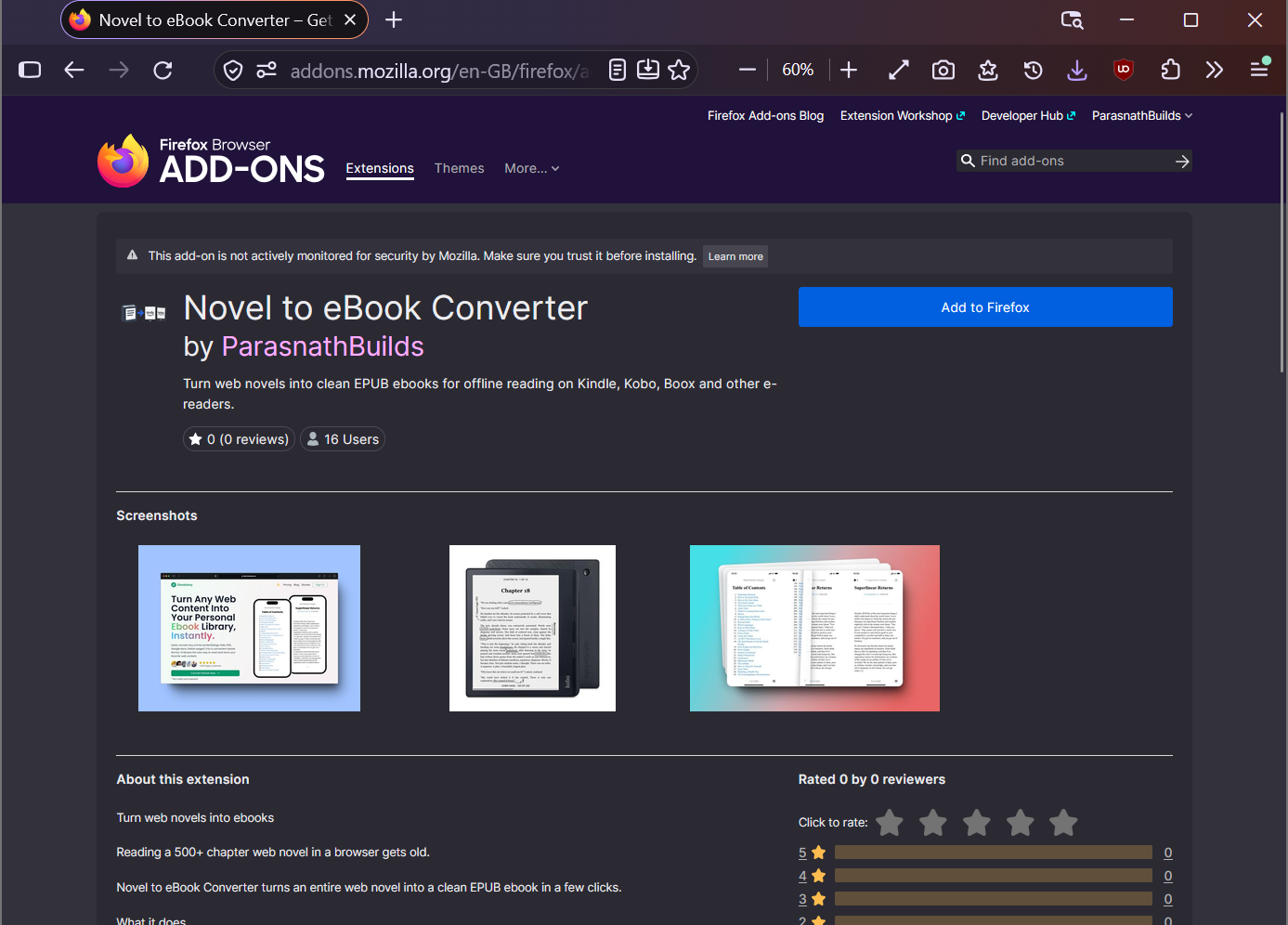
Install the Firefox Extension
Add Novel to eBook Converter to your desktop Firefox browser or Firefox for Android with a single click from Mozilla Add-ons.
- 1Visit the official Mozilla Add-ons (AMO) page.
- 2Click the blue 'Add to Firefox' button and confirm the browser permission prompt.
- 3Pin the extension icon to your Firefox toolbar for quick one-click access whenever you are reading online fiction.
Navigate to Any Web Novel
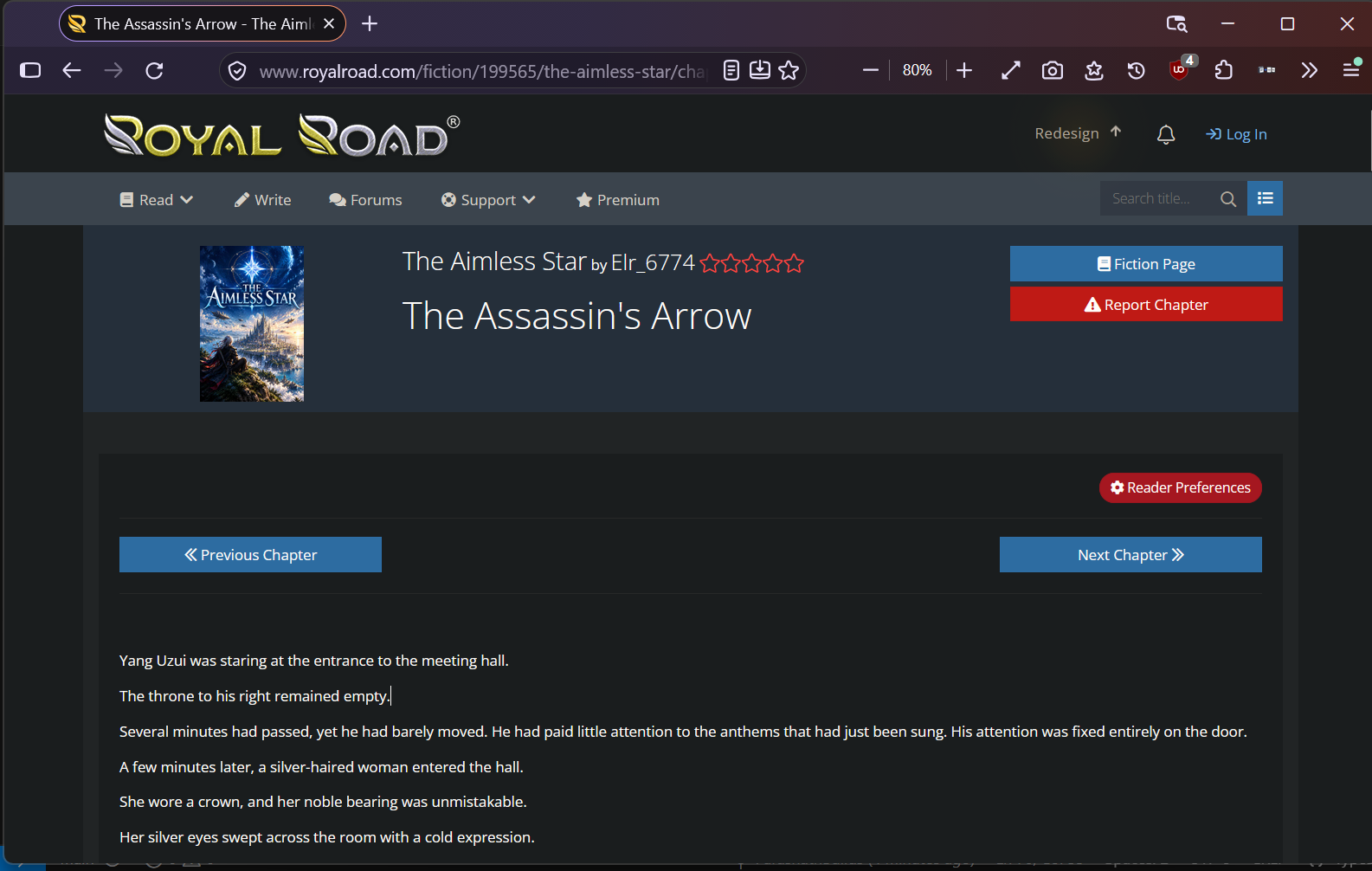
Open the table of contents or starting chapter of any serialized web fiction in your active Firefox tab.
- 1Browse to your chosen web novel site (such as Royal Road, Scribble Hub, AO3, or independent author blogs).
- 2Ensure you are on the story's main page or the first chapter you wish to compile.
- 3Allow any age verification or initial page warnings to load normally in your browser.
Configure Your eBook Options
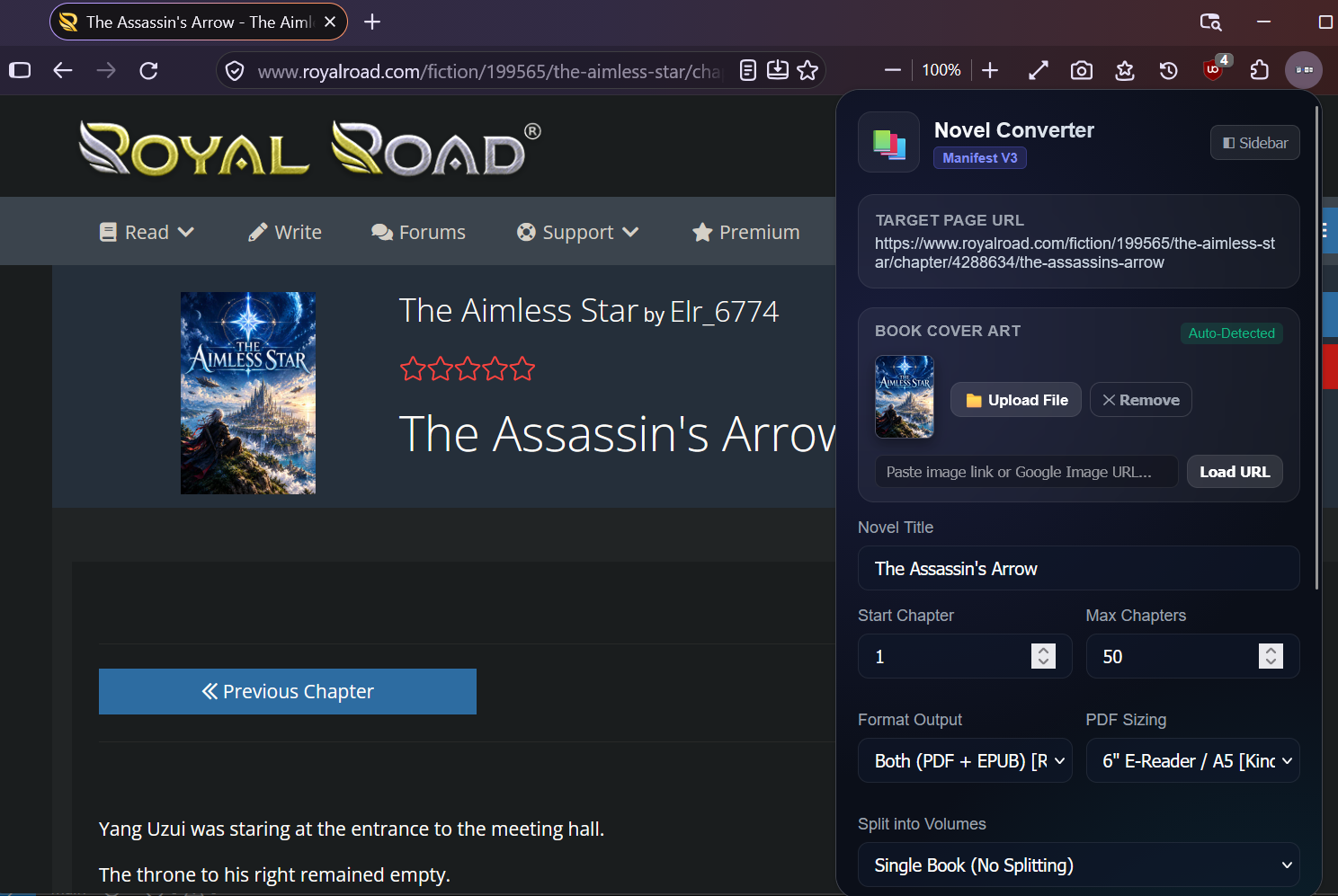
Open the extension popup to customize book title, author, chapter range, and cover art before compiling.
- 1Click the Novel to eBook Converter icon in your toolbar to open the clean popup interface.
- 2Review the auto-detected title, author name, and cover image.
- 3Select your desired chapter range (e.g., compile the entire series, or specific volume batches like Chapters 1–50).
- 4Choose your preferred export format (EPUB recommended for all modern e-readers).
Compile & Download Clean EPUB
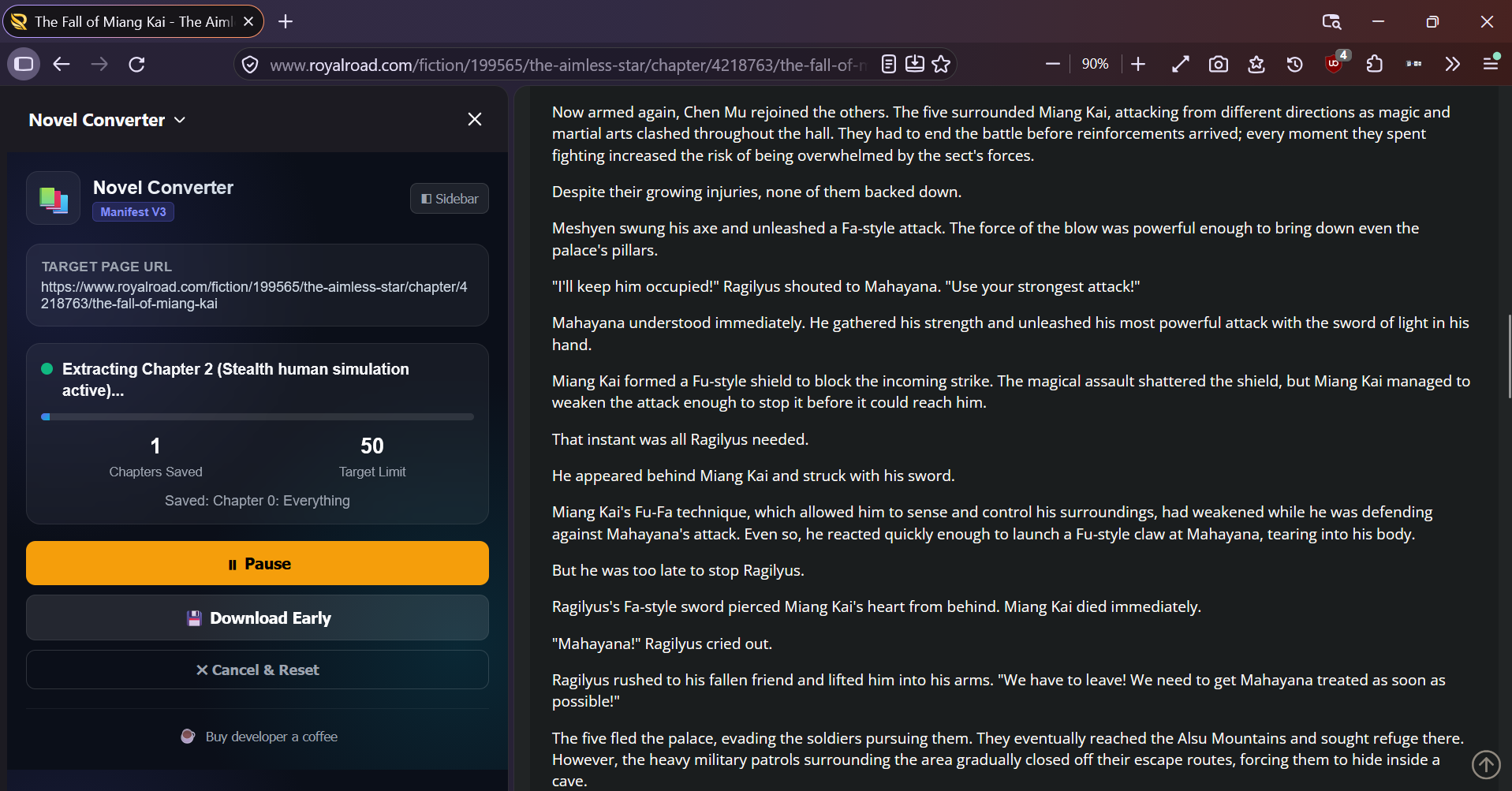
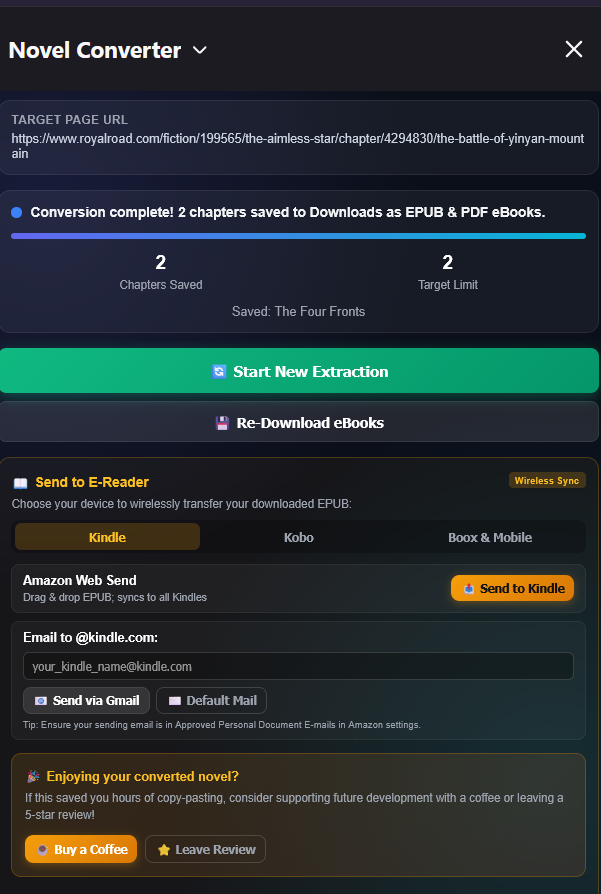
Watch the in-browser progress indicator as the extension strips clutter and packages your book locally.
- 1Click 'Generate eBook' to start the local compilation process.
- 2The extension sanitizes the HTML, removes ads, headers, and comments, and builds a standardized EPUB container.
- 3A standard Firefox download prompt appears as soon as the file is bundled.
- 4Save the .epub file to your computer or mobile downloads directory.
Transfer to Your Kindle, Kobo, or App
Load your newly created ebook onto your favourite e-ink reader or mobile app for distraction-free offline reading.
- 1Send to Kindle via the Amazon web tool (amazon.com/sendtokindle) or email.
- 2Drag-and-drop directly onto your Kobo or Boox e-reader via USB cable.
- 3Open immediately on iPad, iPhone, or Android via Apple Books, Google Play Books, or Moon+ Reader.
Understanding Output Formats: EPUB vs. PDF
EPUB (.epub)
Reflowable text designed for e-readers like Kindle, Kobo, and Boox. Adapts font sizes to your screen, supports night mode, bookmarks, and Whispersync. Ideal for 99% of web novel reading.
PDF (.pdf)
Fixed-width pages mimicking physical prints. Ideal if you need to print chapters on paper or view illustrations with strict layout retention on a large computer monitor.
Ready to try it yourself?
Install the extension on Firefox in under 10 seconds and compile your first novel chapter.
Add to Firefox — Free